
Flotilla is a lightweight project management app for planning and producing social media content across several brands in one place. Ideas are saved in an Archive, then move through a Kanban from Queue to Done with a clear person in charge, and the home screen shows every brand’s progress the moment the app opens. Each team member only sees the brands they handle, and the whole app carries a modern black-and-white Macintosh System 6 look.
A scrollable look at the finished site, exactly as a visitor would browse it.
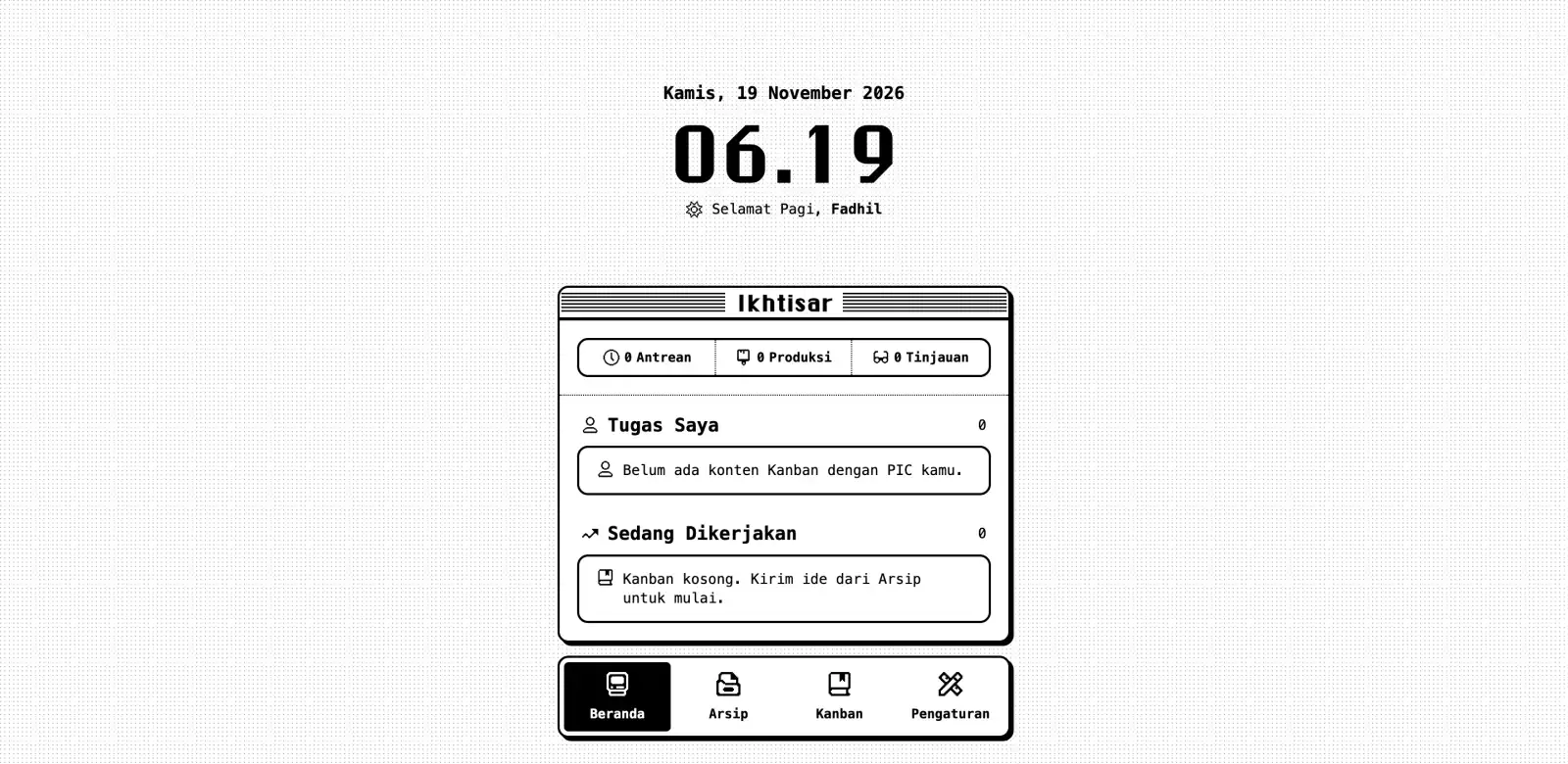
Desktop
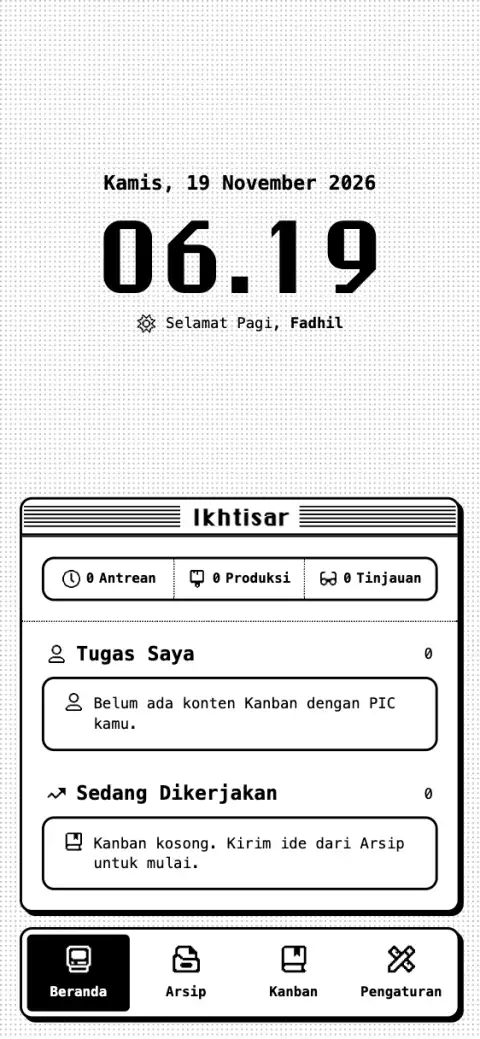
Mobile
Work like this is usually split between a developer, a UI/UX designer, and a graphic designer. On this project, one person holds all three of those skill sets, so every decision came from someone who understood the whole project, not just their own part of it.
11
standards met, from code to design.
Business impact here is measured across 5 areas: Presence, Quality, Trust, Conversion and Growth. Together they cover how the business is found, perceived, and acted on.
Every brand’s progress at a glance
Before
When content for several brands is coordinated through chats and separate notes, the owner has to ask one by one to know what is being made, who is working on it, and what is stuck.
After
The home screen shows how much content is queued, in production, and in review for every brand, along with each person’s own tasks, so progress is clear without sending a single message to ask.
Each project draws on a mix of disciplines: here’s how they came together on this one.
The tools and technologies that came together to bring this project to life.










The problems that came up while building this project, and what came out of solving them.
Saves Overwriting Each Other
Several people saving to the same spreadsheet at once could interleave reads and writes, so one save might silently replace a newer one, solved by sending every write through one server-side queue and rejecting a save when the content changed after it was opened.
Row Numbers That Can Change
The owner can sort or edit the Sheet by hand at any time, so a row number read earlier may point to a different row, solved by looking up each row inside the same queued turn as the write and removing deleted rows only after the undo window ends.
One Google Quota Shared by the Whole Team
Every request runs on the owner’s credentials, so the whole team counts as one user against Google’s limit of 60 requests per minute, solved with one batched read per request, change checks through the file version, and retries with backoff when the limit is hit.
iPhone Browsers Quietly Ignoring WebP
Safari and every browser on iPhone return PNG when asked for WebP, which made compressed references far too large, solved by checking the actual output type, falling back to JPEG, and lowering quality and then size until each image fits under 100 KB.
Buttons Flickering When a Menu Opens
On phones the pressed state disappears before the click event arrives, so a menu button flashed black, white, and black again, solved by opening menus when the finger lifts instead of on click.
A Blurred Band Under the iOS 27 Status Bar
iOS 27 draws a blurred glass band along the top edge of installed web apps, covering anything placed there, handled by using the default status bar and adding top spacing based on the safe area so no content sits under it.
Keeping the Demo Away From Real Data
A guest mode inside the real app would share an origin with the owner’s data, so the demo became a separate deployment on its own domain, where a build-time alias swaps the data source for fictional data kept in memory and leaves out every piece of Google code.
The technical problems fixed while building this project.
One write at a time, no lost updates
Access checked on every request
At most one Sheets read per request
Every reference image under 100 KB
A demo build with zero Google code
Sheet edits visible within about 10 seconds
The main sheet kept lean automatically
Before
With several people saving at once, reads and writes to one spreadsheet can interleave, so a save based on stale data overwrites a newer one or lands on a row that has shifted.
After
Every write goes through one server-side queue with its own SQLite storage that reads, checks, and writes in strict turn. Edits send only the changed fields with their previous values, and the server rejects the save as a conflict if the Sheet no longer matches. Request IDs kept for 24 hours make a retry or double tap return the same result instead of writing twice.
Before
Hiding other brands in the interface still sends their data to the browser, and trusting a brand ID sent by the browser lets a modified request reach content outside a member’s access.
After
Every server function starts by checking the session against the team list, every list is filtered on the server, and each edit looks up the content’s real brand in the Sheet before checking access. Content IDs are random UUIDs, reference images are streamed through a proxy that checks access first, and Google access is limited to the drive.file scope, so the app can only touch files it created.
Before
Every request runs on the owner’s token, so the whole team shares Google’s per-user limit of 60 requests per minute, and rereading all data every few seconds would use it up quickly.
After
Each request makes at most one batched read, changes are detected by polling the file version through the Drive API every 10 seconds instead of reading the Sheet, version results are shared between requests for 2 seconds, and 429 responses are retried with exponential backoff. Per-user rate limits also stop one account from draining the shared quota.
Before
Full-size phone photos fill the 15 GB of Drive storage quickly, slow down uploads, and carry location data in their metadata.
After
Images are redrawn on a canvas in the browser, which strips EXIF location, then saved as WebP, or as JPEG on iPhone browsers that silently return PNG. Quality steps down from 0.8 to 0.5 before the dimensions shrink, so each file stays under 100 KB. All references for one piece of content go up in a single binary request, and the server only streams the bytes to Drive.
Before
A guest mode inside the real app would share an origin with the owner’s data, so one mistake in a check could pull spreadsheet contents into a visitor’s tab.
After
The demo is a separate deployment on its own domain with no secrets at all. A build-time Vite alias swaps the data source for a fictional in-memory version, so the demo build contains no Google code, and a build flag blocks sign-in and every Google call even if secrets were ever added.
Before
Edits made directly in the spreadsheet stay invisible until the page is reloaded, and without a connection the app would not open at all.
After
The app checks the file version every 10 seconds, when the tab returns, and when the connection comes back, rereading data only when it changed, with a 60-second fallback. A hand-written service worker caches hashed assets and page copies, and the last workspace data is kept in IndexedDB per account for up to 7 days, read-only, then cleared on sign-out.
Before
Keeping every finished piece in the main tab makes it grow without limit, and parsing thousands of rows on each request edges toward the per-request CPU limit.
After
A scheduled job runs daily at 03.00 WITA, when nobody is working, moving content finished more than 30 days ago into a history tab with one batched read, one append, and one multi-range delete, then permanently deleting its reference images. It is safe to rerun, since IDs already recorded are never written twice.
